MISE POSby Develop2000 ← Back to the website WhatsApp +961 3 791 866
Develop2000 · ERP Solutions

The POS that runs your restaurant the way Lebanon actually works.

Mise POS handles your floor, kitchen, cash, and reports — in dollars and lira, in English and Arabic, with or without internet. Installed, configured, and supported on-site.

MISE POS
Your Restaurant · Beirut

Order #42 · DINE IN
Table: T5Served by: Rana

2× Chicken Taouk17.00
1× شاورما عربي6.50
  + extra garlic
1× Sparkling Water2.90

TOTAL$ 26.40
2,376,000 L.L.
CASH30.00
Change3.60

Thank you for your visit!
Powered by Develop2000
Built for Lebanon

Made for how you really work

$ + L.L. on one bill

Price in dollars, collect in lira — or both on the same ticket. Split payments across currencies, change computed at your daily rate, both totals printed for the customer.

Arabic, actually printed

Menus, kitchen notes, and receipts in Arabic — with a built-in Arabic/English touch keyboard. Prints correctly even on thermal printers with no Arabic support of their own.

No internet required

Everything runs on your own machine, on your own Wi-Fi. Internet cut, provider down — service doesn't stop, and there are no monthly cloud fees. You own your system and your data.

Running in minutes

One folder on any Windows PC. Starts itself with Windows every morning, backs itself up at every shift close, and every tablet connects over secure HTTPS.

Front of House

Your floor, live.

Every table's state at a glance — who's seated, whose waiter, how long, and who already asked for the bill.
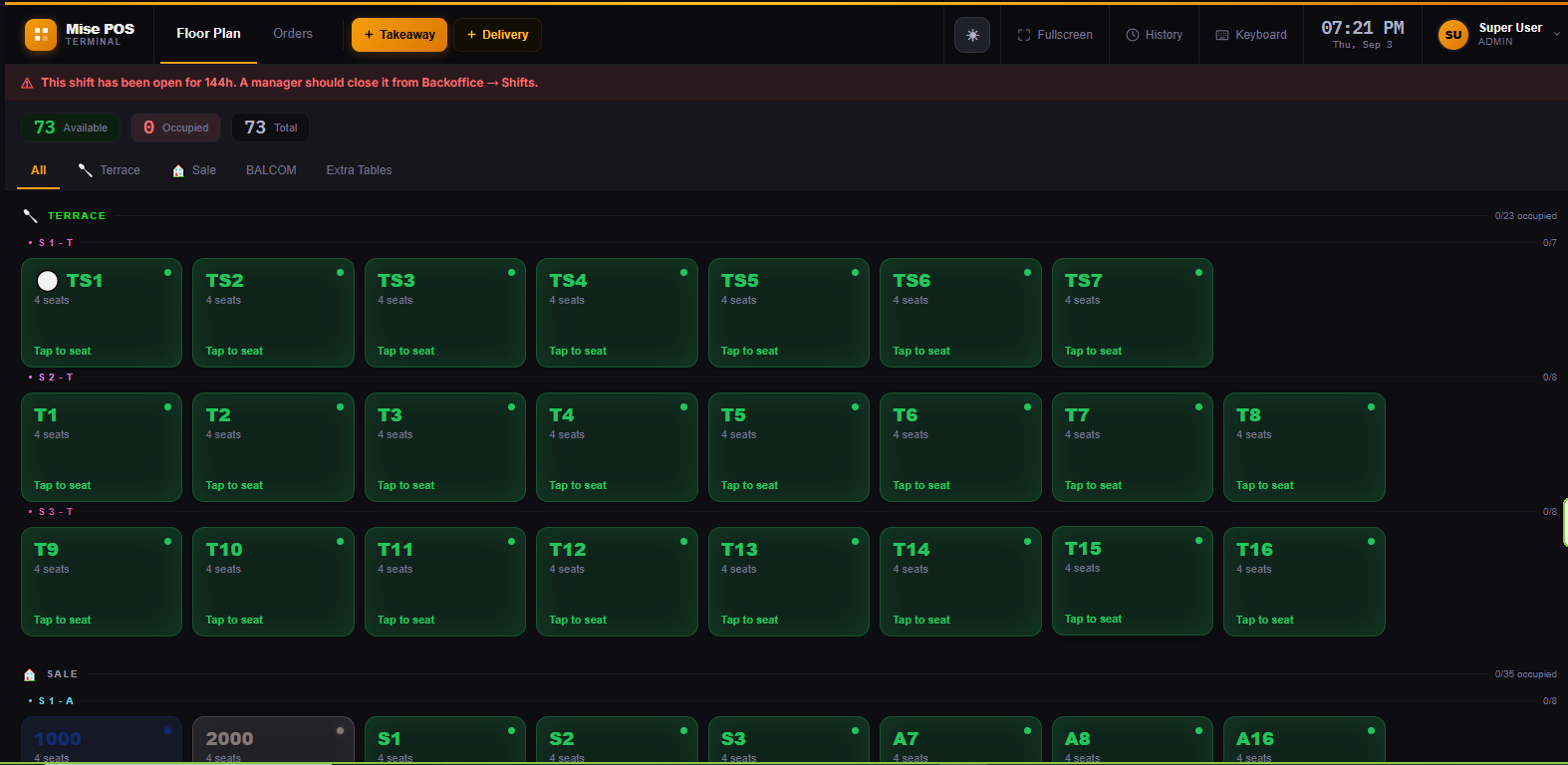
  • Visual floor plan with sectionsmain hall, terrace, delivery, with occupancy counters per section.
  • Bill-requested flaga printed check turns the table amber with a timer.
  • Waiter ownershipevery table shows its waiter; opening a colleague's order asks first.
  • Split, merge, moveseparate checks, join tables, move parties — permission-controlled.
  • Dine-in, takeaway, deliverywith a customer directory: names, phones, addresses remembered.
  • Any device is a terminaltablets, phones, PCs — through the browser, full-screen like an app.
Floor Plan — 73 tables, live
MISE POS floor plan with sections and live table states
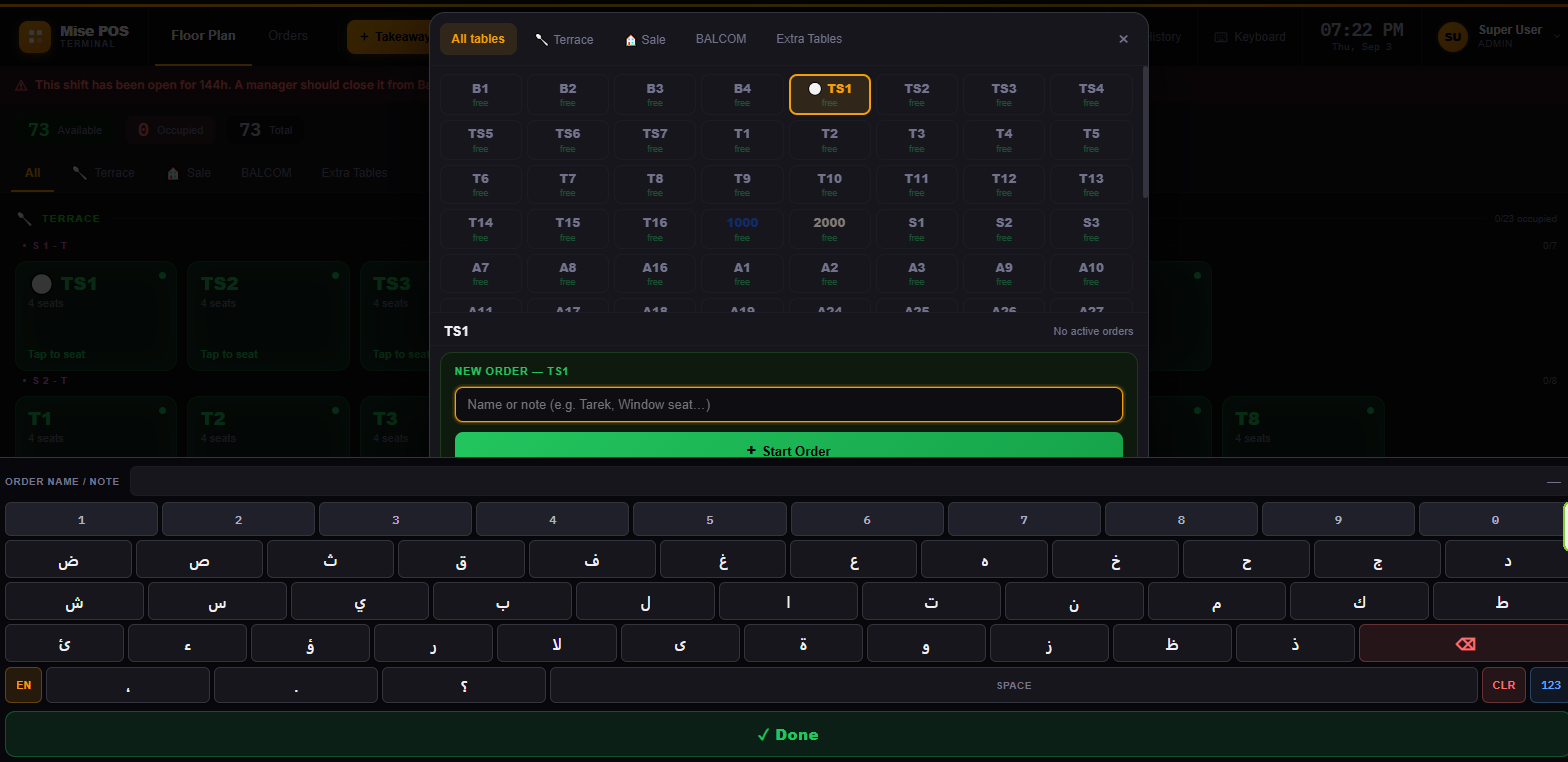
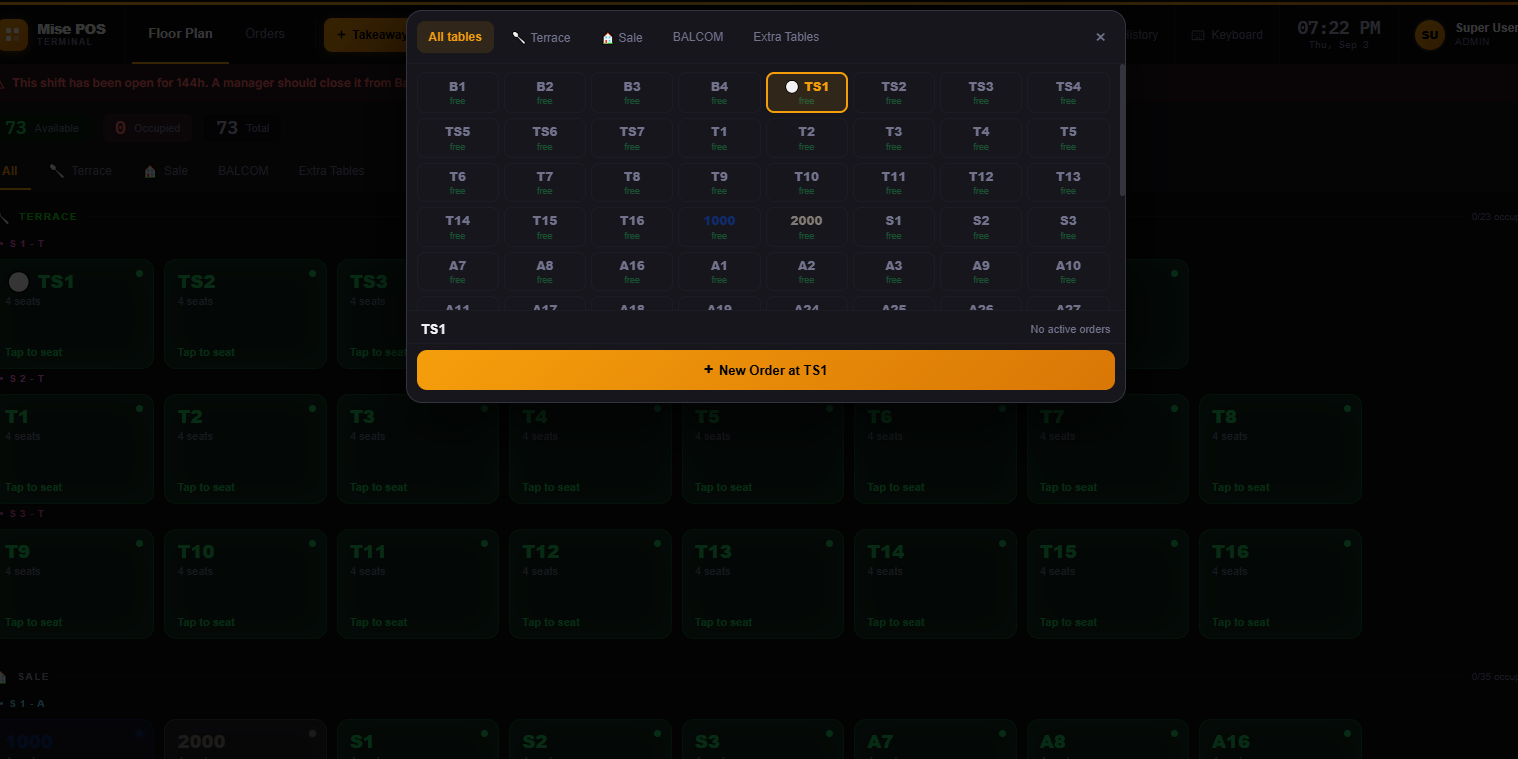
Quick table picker
Table picker with new order
Arabic / English touch keyboard
Built-in Arabic English touch keyboard
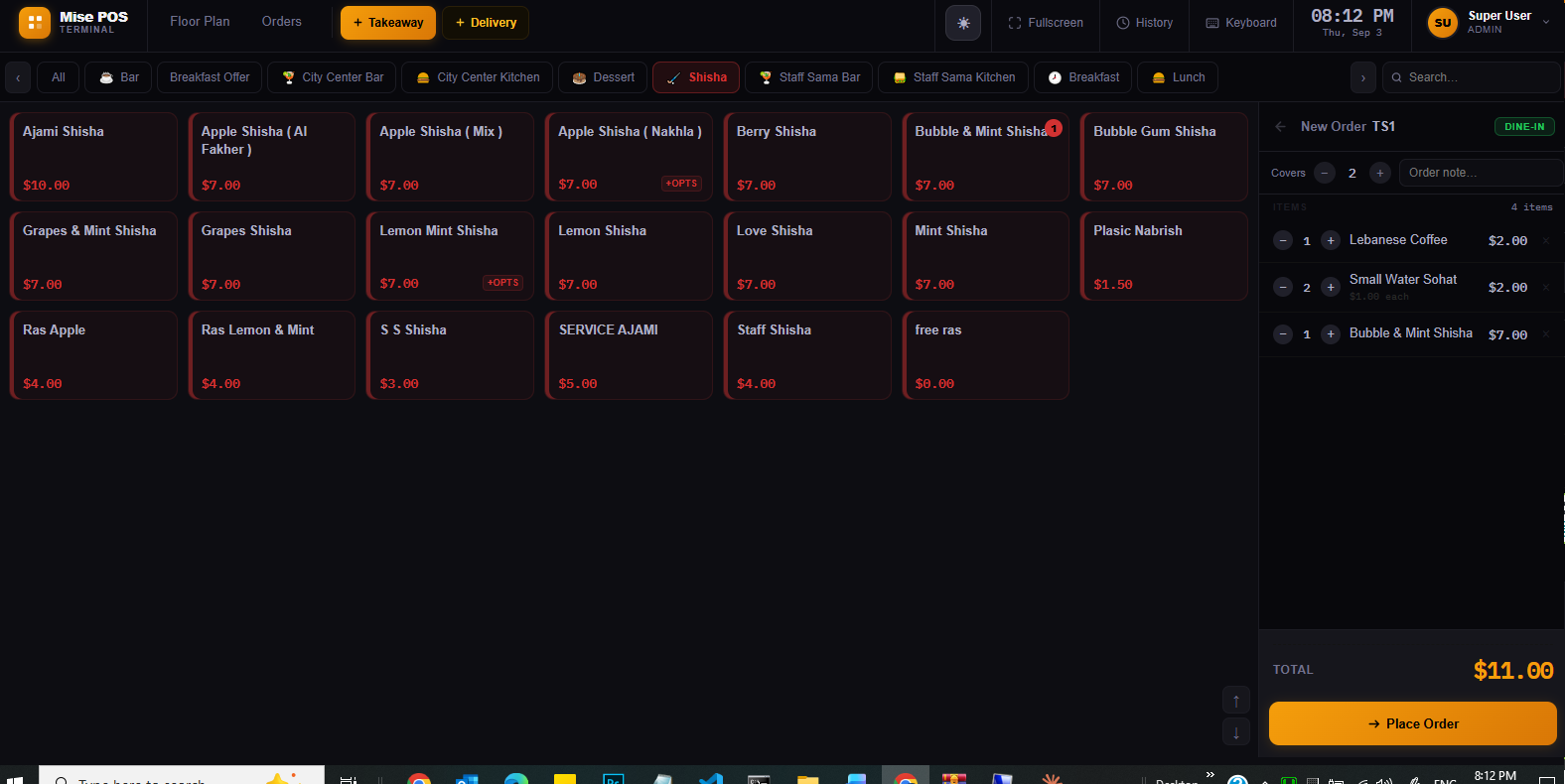
Taking an order — categories, cart, send to kitchen
Order screen with product grid and cart
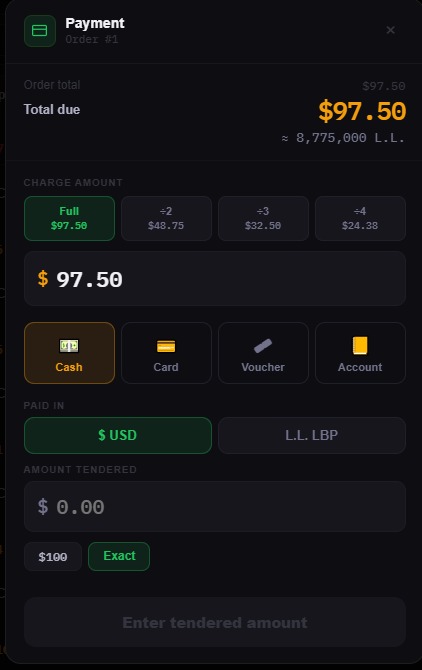
$ or L.L. — daily rate, both totals
Payment in USD or Lebanese lira with daily rate
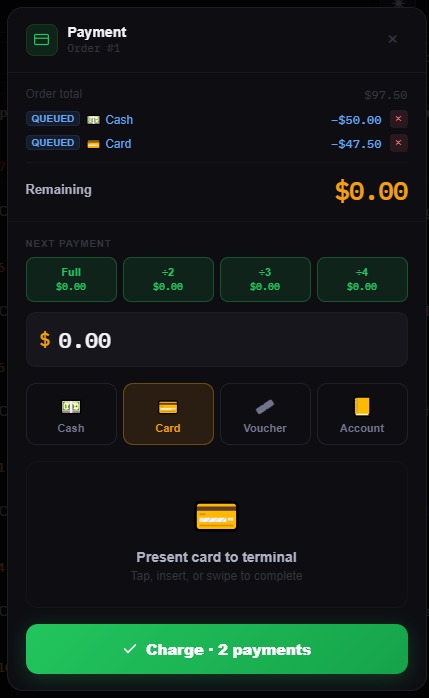
Split payments — cash + card on one bill
Split payment cash and card on one order
Taking orders & payment

Fast enough for the rush.

  • Color-coded categoriesyour whole menu two taps away, with instant search.
  • Modifiers & kitchen notesextra garlic, no salt, بلا بصل — typed in Arabic or English.
  • Multiple orders per tablesplit parties handled cleanly, each with its own ticket.
  • Covers, notes & customer nameseverything the service needs on one screen.
  • Discounts with permissionspercentage or amount, only for staff you allow.
  • Pay in $, L.L. or bothsplit across cash, card, voucher and account — change at your daily rate.
  • Split the check in one tap÷2, ÷3, ÷4 or any amount — the screen does the math.
Kitchen

The kitchen always knows.

  • Kitchen tickets built for the passbig bold table names, double-size notes, order type, time, and "Served by".
  • Station routinggrill orders to the grill printer, bar orders to the bar — automatically, per dish.
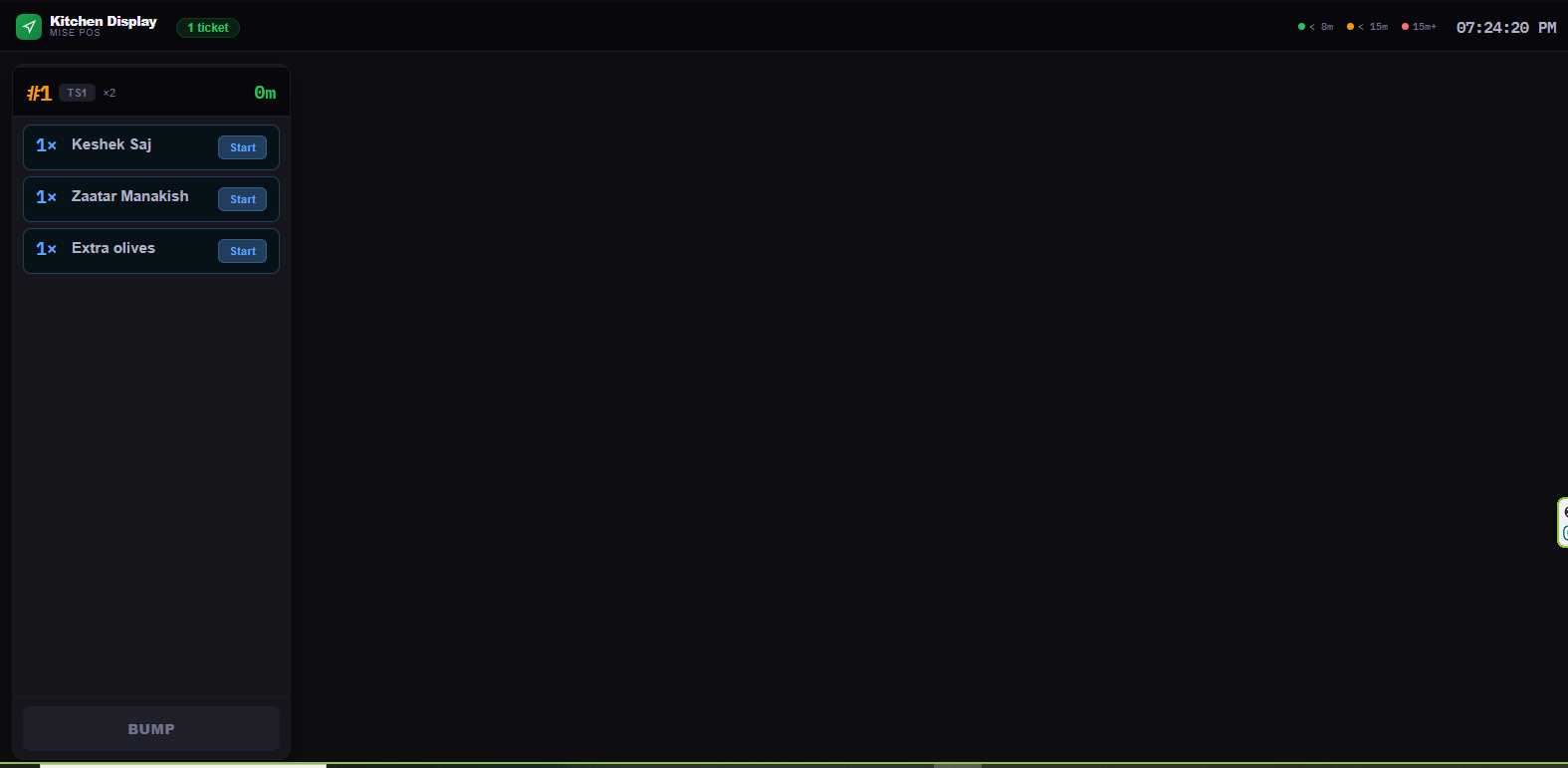
  • Kitchen Display Screena live board instead of (or beside) paper — orders age, get bumped, reset on updates.
  • Void noticescancel a dish and the kitchen gets a printed notice to stop — nothing cooked for nothing.
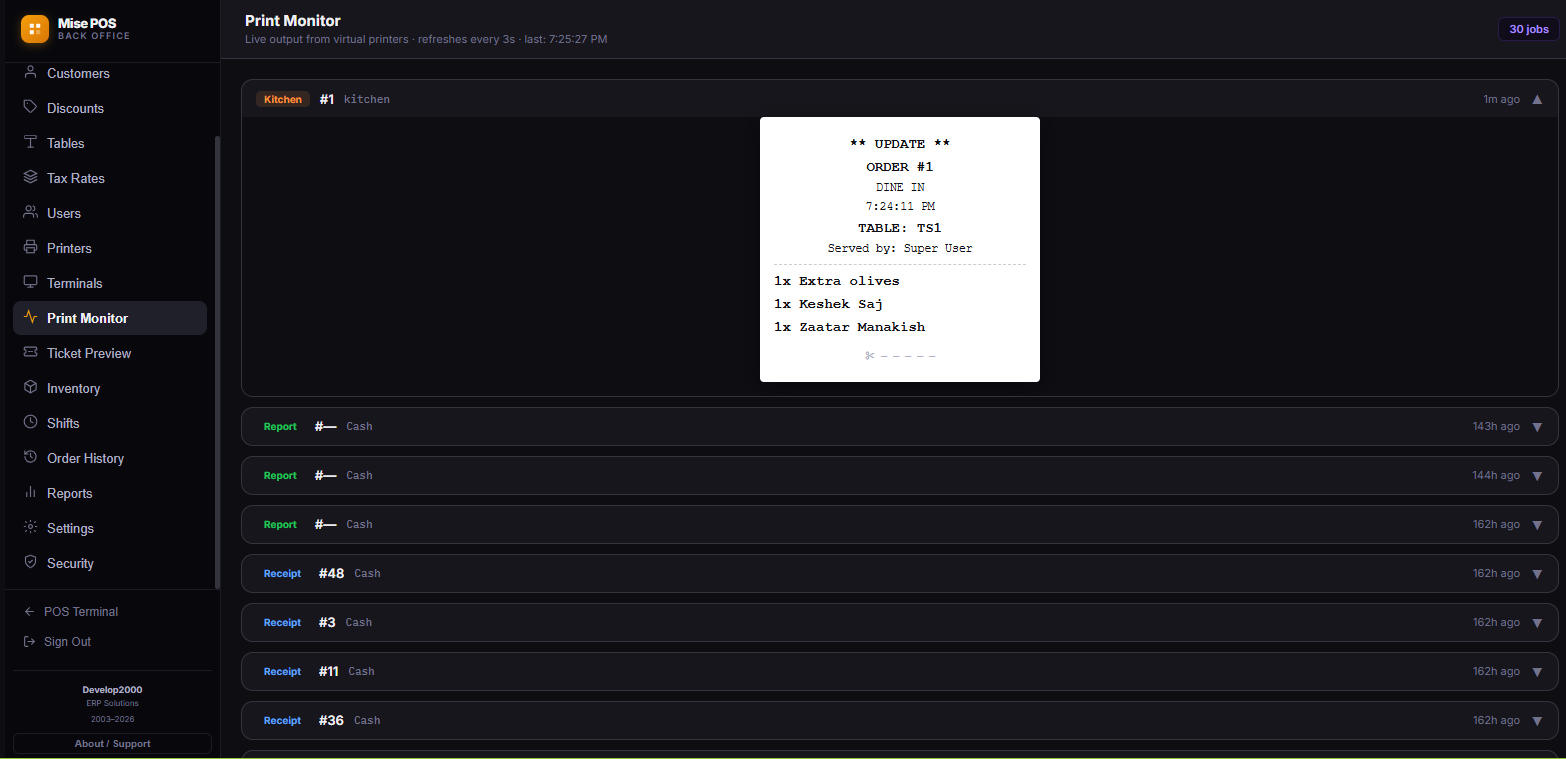
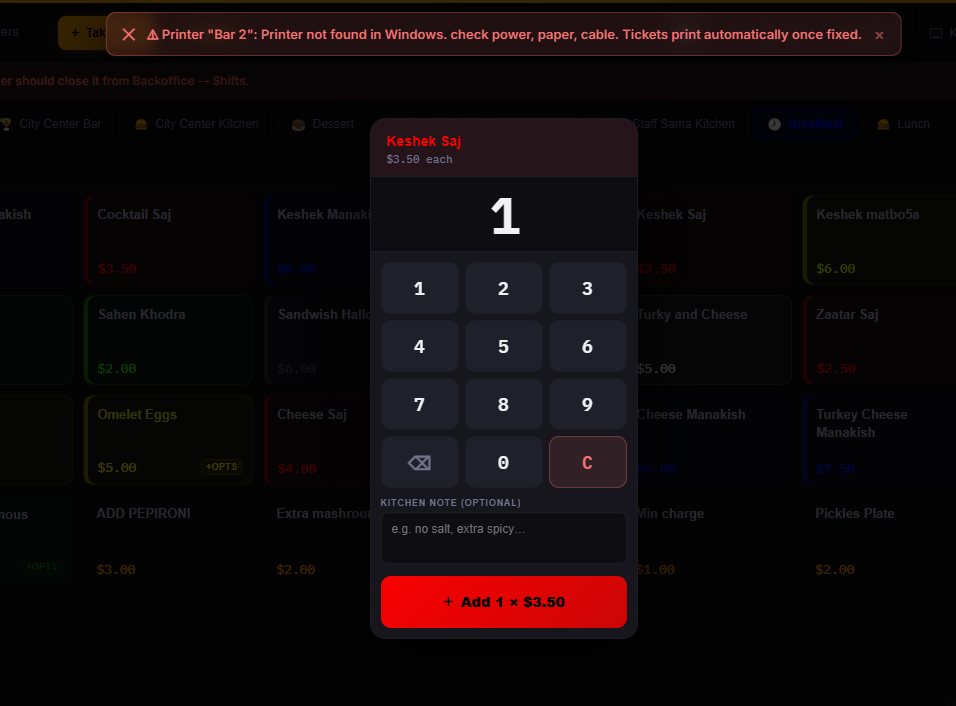
  • Printer down? Everyone knowsevery terminal gets a red alert naming the printer; tickets wait in the queue — nothing lost, nothing printed twice.
  • Arabic on any hardwarea one-tap codepage test finds your printer's Arabic mode; if it can't join letters, Mise POS shapes them itself.
Kitchen Display Screen
Kitchen display screen with live tickets
Print Monitor — every ticket, live
Print monitor with kitchen ticket preview
Printer down — everyone knows, nothing lost
Printer-down alert with quantity pad and kitchen note
Owner Control

See every void. Every discount. Every time.

Every employee has a PIN and exactly the permissions you give them — voiding, discounting, moving tables, printing bills, taking payment. Managers approve exceptions with their own PIN, on the spot.

And everything is recorded: what was removed or discounted, at what time, on which table, authorized by whom. Anything that changed a bill after it was printed for the customer is flagged in red. Search any day, any employee, any item.
21:14T3 · 1× Taoukby Ali-$8.50
23:41T5 · 1× KebabAFTER BILLby Manager-$13.50
23:52#18 · discountby Rana-$5.00
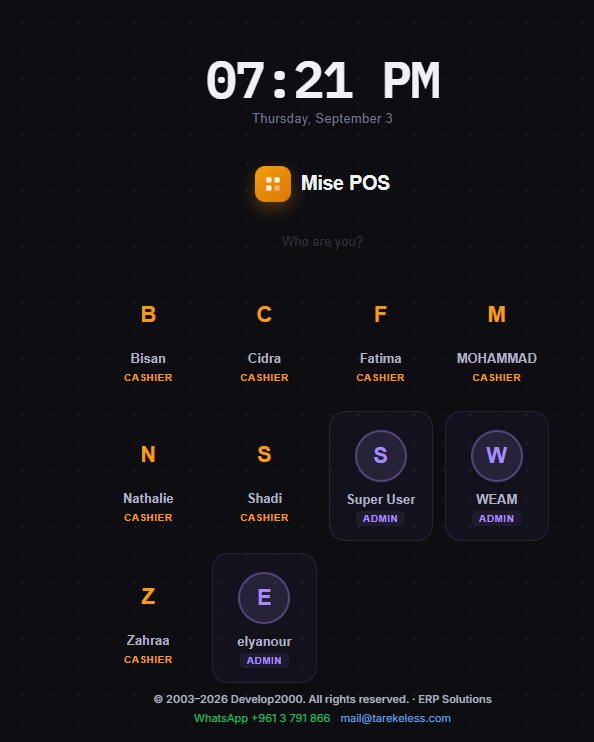
PIN login — Who are you?
Staff PIN login screen
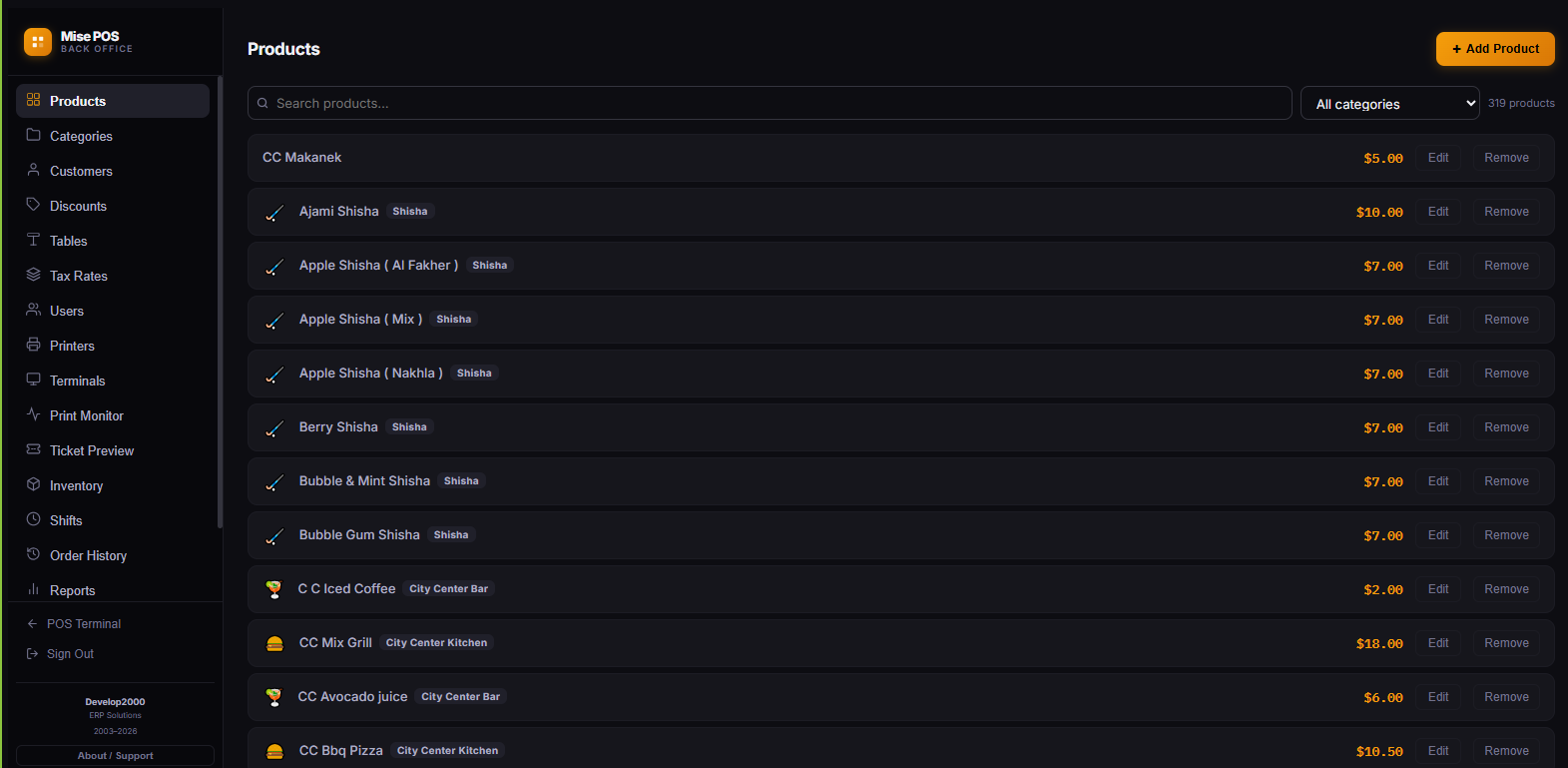
Back Office — products, printers, shifts, reports
Back office product management
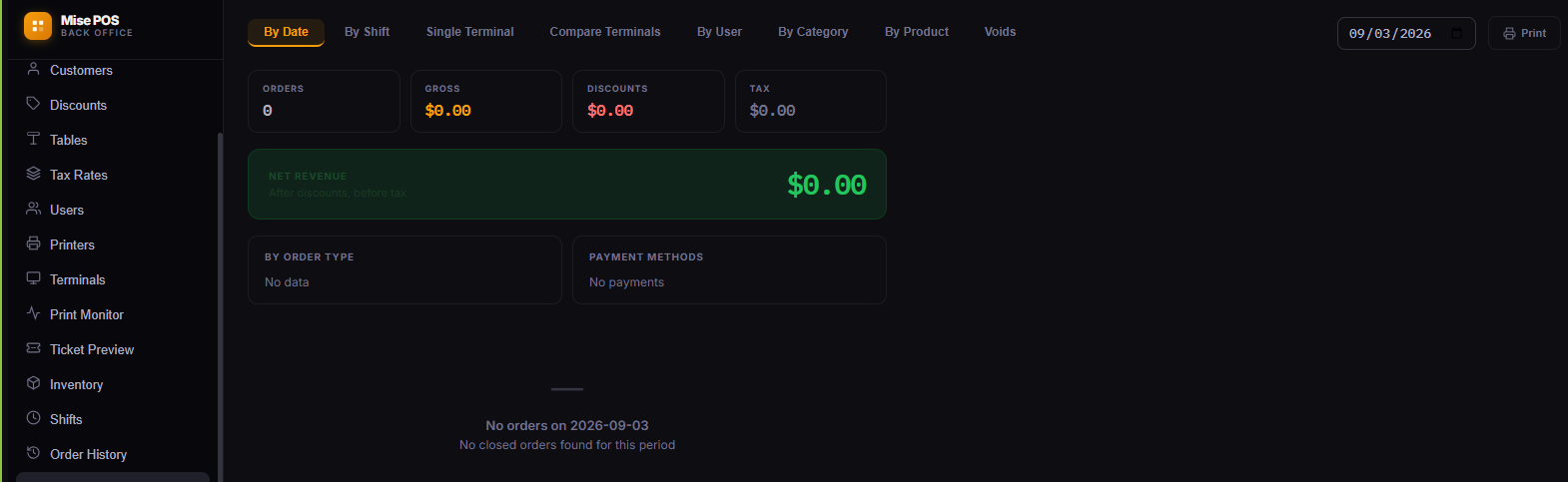
Reports — by date, shift, terminal, user, product
Reports dashboard
Shifts — open, close, reconcile the cash
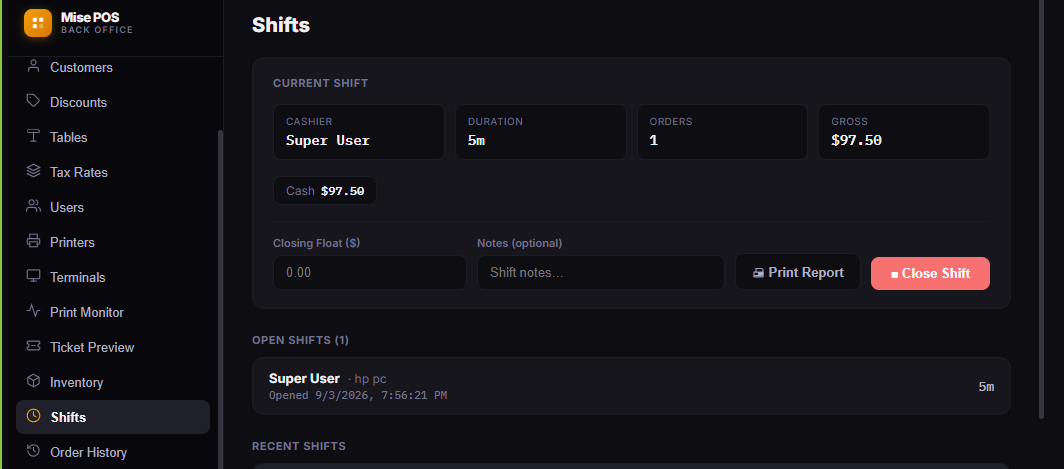
Shift management with cash reconciliation
Numbers

Reports the owner actually reads.

  • Daily Z & shift reportssales, payment methods, top items, voids — on screen and on the thermal printer.
  • By terminal, user, category, productcompare stations, compare waiters, find your best sellers.
  • Voids & discounts auditthe owner's report — filterable by day, employee, and item.
  • Order historysearch any closed order, see its items and payments, reprint its receipt.
  • Shift cash reconciliationopening float, counted cash, expected vs. actual — per terminal or global.
  • Accounting & inventory built inchart of accounts, journal entries, vouchers, and stock — no second system.
How it runs

Simple to install. Simple to own.

ServerAny Windows 10/11 PC — even a modest one. Installs as a Windows service; starts with the machine.
TerminalsAny tablet, phone, or PC on your Wi-Fi, through the browser. No app store, no per-device licenses.
PrintersStandard 80mm ESC/POS thermal printers — the ones already on your counter.
InternetNot required. Fully offline on your own network, secured with HTTPS.
BackupsAutomatic at every shift close, plus one-file manual backups anytime.
DeliverySold per restaurant with on-site installation, staff training, and direct support from Develop2000.
Ready when you are

See MISE POS running on your own menu.

One message and we'll set up a demo with your dishes, your tables, your printers.